 Analog Bag
Screen Time vs. Learning Time: Helping Young Children Build Healthy Digital Habits
Digital devices are part of childhood now, but not all screen time has the same value. The real goal isn't to remove screens completely — it's to help children use them in ways that support learning, play, sleep, and family routines.

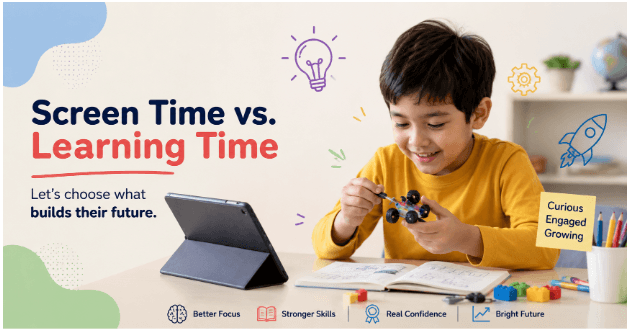
Digital devices are part of childhood now, but not all screen time has the same value. The real goal is not to remove screens completely; it is to help children use them in ways that support learning, play, sleep, and family routines.
Why Screen Time Needs Boundaries
Young children learn best through conversation, movement, play, and hands-on experience. Screens can support learning, but only when used intentionally and not replacing offline activities. For preschoolers, the biggest issue is not just how long they are online, but what they are doing there. Passive viewing, fast-moving videos, and constant rewards can make it harder for children to focus, while interactive learning content can build useful skills.
Learning Time Starts With Purpose
A screen becomes more useful when it has a clear purpose. Instead of opening a device to keep a child busy, choose an activity that teaches a letter, number, word, song, or simple problem-solving skill. This is where a learning app like Effling Kids can fit in well. A nursery LKG UKG learning app should feel like practice time, not random entertainment, and children should know what they are doing before they tap or swipe.
What Healthy Digital Habits Look Like
Healthy digital habits are simple, repeatable routines. They help children understand when, where, and how screens are used in the home. These routines matter because they teach children that devices are tools, not babysitters.
Good habits include
- Using screens in shared family spaces, not in bedrooms.
- Keeping meals screen-free.
- Avoiding screens right before bedtime.
- Choosing age-appropriate content that matches the child's level.
- Talking about what the child sees and does on the screen.
Turning Devices Into Learning Tools
The best learning time happens when a child is active, not just watching. Tracing letters, matching shapes, counting objects, and following simple instructions are all better than endless video loops. A nursery LKG UKG learning app can support this by focusing on early literacy, number recognition, handwriting practice, and short learning tasks. For example, if a child spends 15 minutes tracing letters or practicing counting, that time is more meaningful than an hour of passive scrolling.
A Simple Daily Balance
Parents do not need a complicated media plan to begin. A balanced day can be built around short, predictable blocks of time. This kind of structure helps children expect learning time and separate it from entertainment.
A simple routine might look like this
- Morning: outdoor play or movement.
- Midday: a short learning session on an app.
- Afternoon: reading, coloring, or pretend play.
- Evening: family time with no screens before bed.
How to Choose Better Content
Not every app that says “educational” is truly helpful. Some apps keep children hooked with flashing colors, rewards, and endless tapping, but they do little for real learning. A good app should feel calm, clear, and useful. If a child finishes a session with one new skill or more confidence, that is a sign the screen time was worth it.
Look for content that is
- Age-appropriate.
- Interactive, not just passive.
- Short and focused.
- Free from distracting ads.
- Designed to build a skill, such as writing or counting.
Why Parent Involvement Matters
Young children still need an adult nearby when using digital tools. When parents sit with them, ask questions, and connect the activity to real life, the learning becomes stronger. For example, if a child traces the letter “A,” a parent can point to an apple, a car, or a chart on the wall and make the letter part of everyday conversation. That connection helps children remember what they learn.
Using Effling Kids Wisely
Effling Kids can be part of a healthy digital routine when used for short, focused learning sessions. It works best when parents treat it as practice time for early skills, not as an always-on entertainment app. For a young child, that may mean using Effling Kids for a few minutes of tracing, counting, or handwriting practice after playtime. Used this way, it supports learning without turning the whole day into screen time.
Common Mistakes to Avoid
Many screen-time problems come from habits, not devices themselves. Small changes can make a big difference. When screens become the default solution, children lose chances to build patience, creativity, and self-control.
Avoid these mistakes
- Using screens to calm every tantrum.
- Letting children use devices alone for long periods.
- Replacing reading or outdoor play with extra screen time.
- Allowing devices in the bedroom.
- Choosing content too advanced or too busy for the child's age.
Final Thoughts
Screen time and learning time do not have to compete. With clear limits, good content, and adult involvement, digital tools can support early learning instead of replacing real childhood experiences.
A nursery LKG UKG learning app like Effling Kids can be helpful when it is used as part of a balanced routine that includes play, reading, rest, and family time. The healthiest digital habits are the ones that teach children how to use technology with purpose.
Get More Screen-Free Ideas
Join our newsletter for weekly analog activity ideas, free printables, and mindful inspiration.
No spam. Unsubscribe anytime.